
Would you spend hundreds or thousands on ads without knowing what’s actually working? Unfortunately, that’s what many businesses do when they run Google Ads without conversion tracking.
If you don’t know which clicks lead to sales or leads, you’re just guessing—and guessing is expensive.
Let me break down how to set up Google Ads conversion tracking the right way.
What Is Conversion Tracking and Why?
Conversion tracking helps you measure real actions—like purchases, form submissions, or signups. It’s what allows Google Ads to:
Optimize for better results
Show you what’s driving ROI
Use smart bidding strategies effectively.
Mind it: No tracking = no accurate data = wasted budget.
Step-by-Step Guide
Step 1:
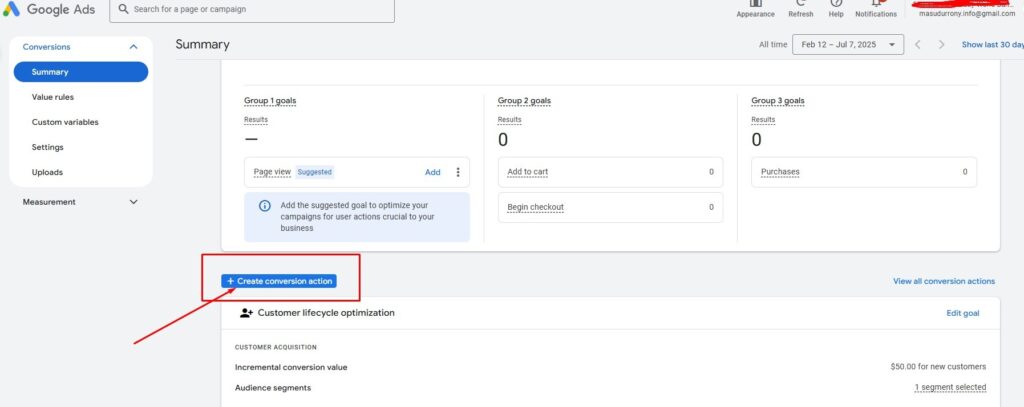
Create a Conversion Action
Go to your Google Ads account
Click on Tools & Settings > Conversions
Hit the + New Conversion Action button
Choose “Website” and enter your domain
From there, Google will walk you through setting up the conversion you want to track such as Page View, Product Page View, Add to Cart, View Cart, Checkout, Purchase, Thank you Page, Sign Up, Form Submit etc.
Step 2:
Set Up the Tag
Now you’ll get a tag to add to your site. You can either:
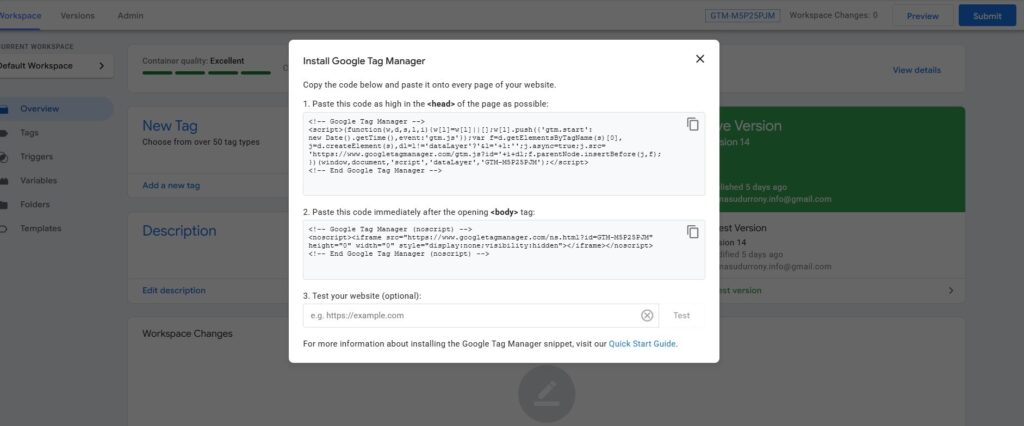
Use Google Tag Manager (GTM) (highly recommended).
If you’re not technical, GTM makes life much easier.
Step 3:
Install via Google Tag Manager
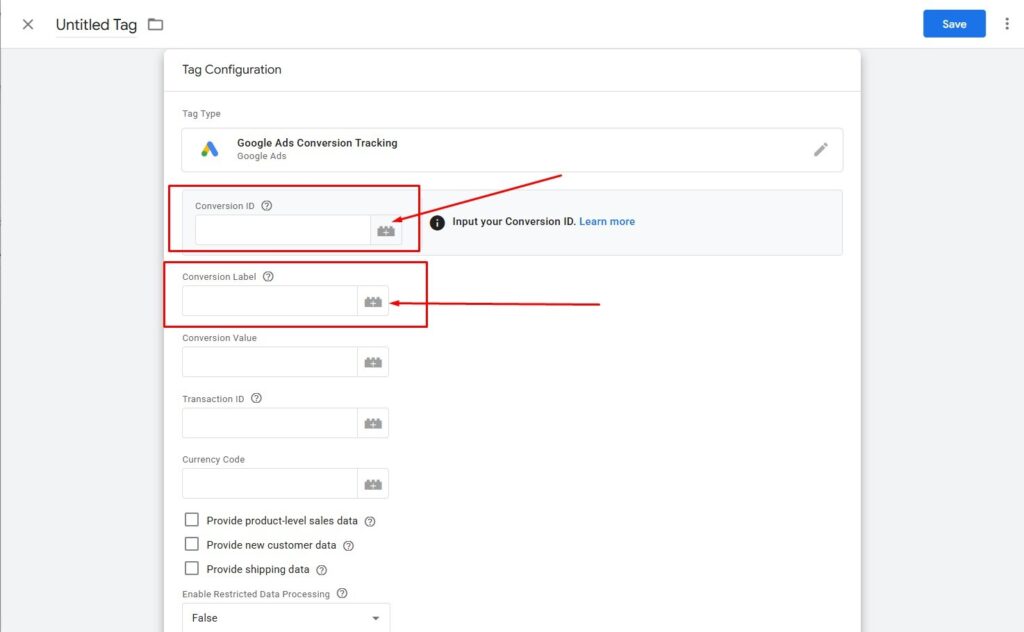
In GTM, create a New Tag > Google Ads Conversion Tracking
Paste in your Conversion ID and Label from Google Ads
Set a trigger (e.g. page view on a “Thank You” page, or form submission)
Save and publish.
Step 4:
Test Your Setup
Before celebrating, test it:
Use GTM Preview Mode
Try Google Tag Assistant.
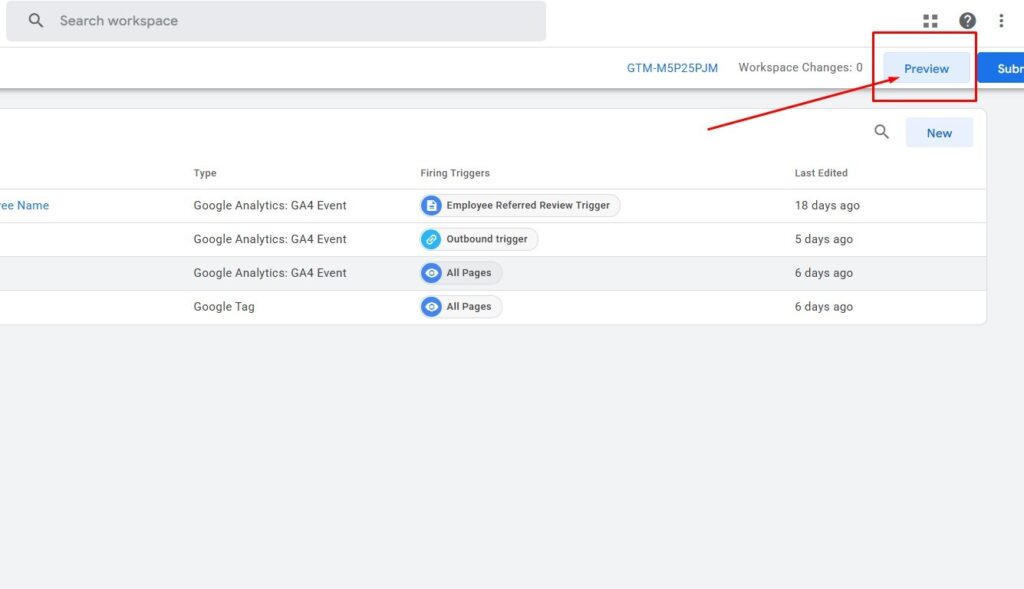
Check Google Ads > Conversions—it should say “Recording conversions”
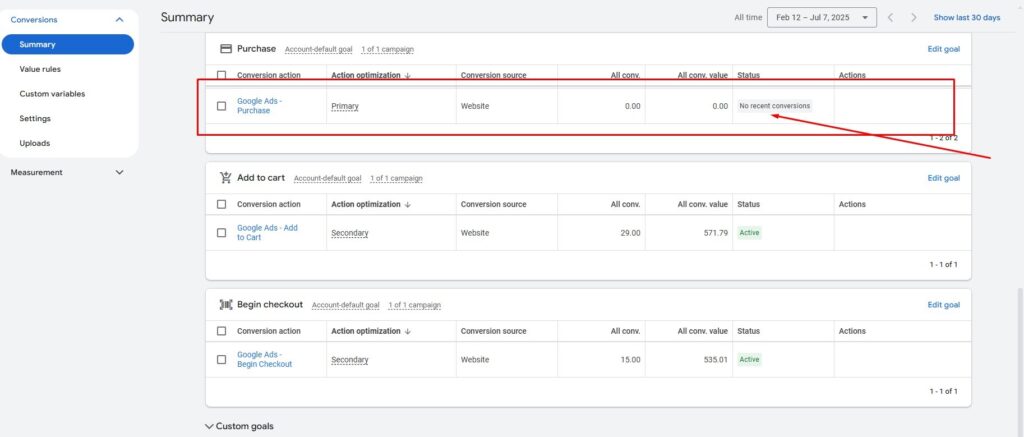
If it doesn’t work, double-check your triggers or tag settings.
Step 5:
Link to GA4 (Bonus Step)
If you’re using Google Analytics 4, link it to Google Ads:
In GA4, go to Admin > Product Links > Google Ads
Follow the prompts.
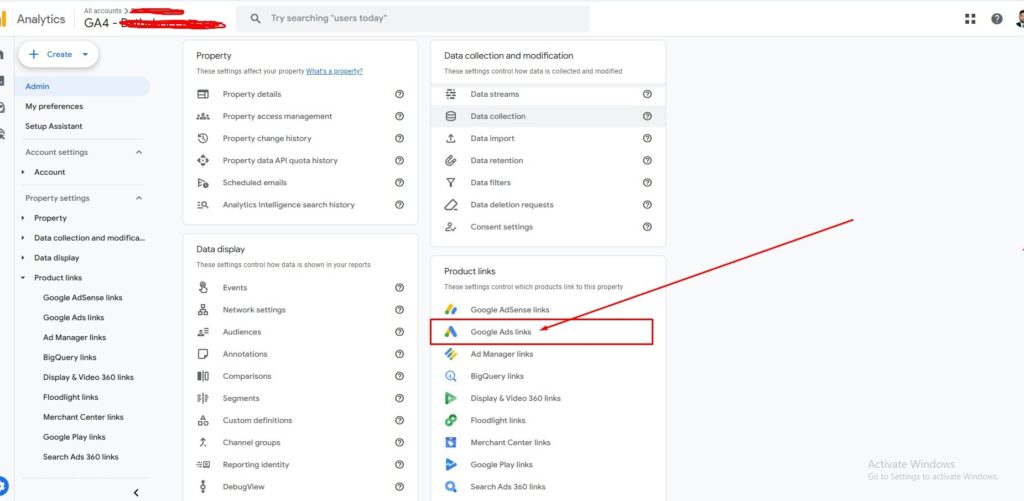
This helps with deeper insights and lets you use enhanced conversions.
Quick Pro Tip
Want more accurate data? Turn on Enhanced Conversions—it sends customer data (like email or phone) to help Google track more conversions even when cookies fail.
It’s simple and makes Smart Bidding smarter.
End Words: Setting up Google Ads conversion tracking is one of the most important steps you can take if you’re running paid traffic. It doesn’t just give you numbers—it tells you the truth about what’s driving growth.
No more guessing. Just data you can trust.